
I've been posting a bit more than usual in the last week. Probably because I'm quietly excited above anything else. In this addition of the WickedP chronicles, I'm going to talk about some additional functionality I built into the motion system's clip IK and engine.
The IK engine has been successfully merged into the ProxyMan tool's motion system. It seems to work really well for it's intended purpose. But because the character tool itself needs to me some user abilities, I went ahead and added a little extra functionality around the system's clip. What I'm refering to here is not the IK engine itself, but the actual clip on the motion system timeline that the user can move about.
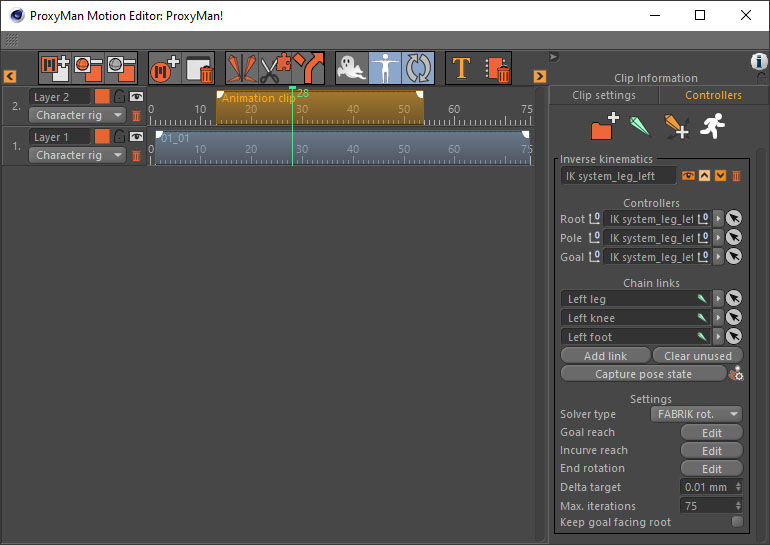
You see, the clip something I loosely call an "Animation Clip". What this means is, it's a clip that houses some kinematic functionality. For now it has only the one engine, and that's the new IK engine. Here's a screen capture of what I'm talking about:
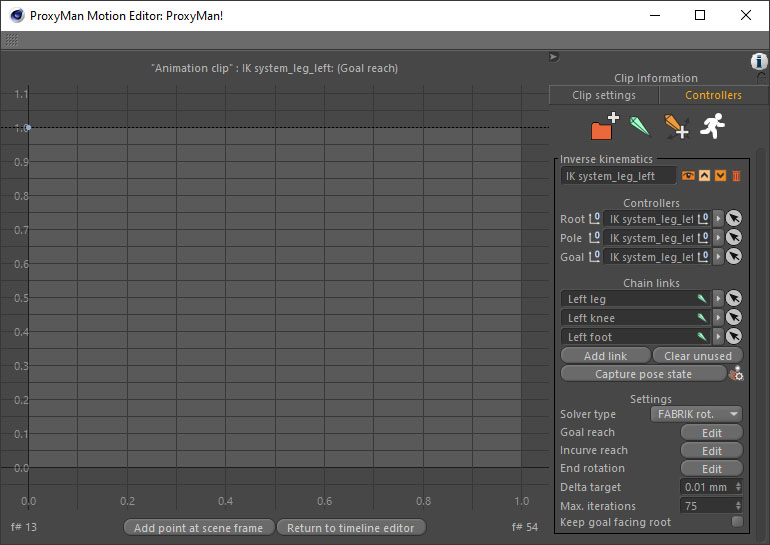
Something I'll quickly mention here as well (because I'm not sure if I have elsewhere before). The edit buttons in the clip group interface lead the dialog onto a spline editor system. So, I can edit some of the strengths applied through the IK solve using the spline editor. It looks like this:
I had already placed some buttons in the IK controller's interface for the user to press, they just didn't do anything. So I decided to polish them off so the user could have as much control as the system would let them.
The big one was being able to set a custom pose state for the engine. This has some really neat advantages for the animator, because it means they can fix a bunch of motion capture by applying an IK solver over the top. And if the character state is in an awkward position, then the system can deal with the user moving things about and capturing the new state. It doesn't need a straight arm to start with. The system can actually perform the IK solve with an arm that's been posed bent. Quite neat really, because it allows me to make micro adjustments to an animation in place, quickly and easily.
I guess this is the kind of thing you get when you're a wanna-be-user of the system, instead of a plain programmer who probably has no intentions of actually using the software. Which probably covers the vast majority of professional programmers. Sorry folks, but it's probably true! Probably... And it's probably why the user sees a workflow that they doesn't always think is the right one.
While I was there I also tidied up some group border spacing. I found my initial border gaps inside the little interface were making the groups appear a little bigger than they needed to be when they were minimised. Just helps to keep the group scrolling down if you have a clip with multiple kinematic solves - which is possible in my system! That in itself, is also neat. It means one clip can contain solvers for a full body IK system. With the addition of some copy/paste functionality I also added, you can then copy that clip and use it's entire structure again. Need to fix two legs and an arm? A single animation clip can do that. Need to fix the same limbs again somewhere else? Copy the clip and off you go. It doesn't necessarily get you out of having to do some keyframe animation, that's another matter. But the clip itself contains all the driving data to make it happen.
I'm really wrapped with the little IK engine I've made. It's quite flexible and I think it's going to help me do some wonders for my character animation projects.
To finish
For those interested, you can see how the IK engine processes the strength of a spline in a video I posted recently, shown below. Look for it under the heading "Example 1" in the video: