
This is the second part to programming my own inverse kinematics solver.
I'm digging in to try complete the last big part of my ProxyMan tool to get him over the line. And I must confess, making an IK system has been tricky to figure out. In part one I describe that I'd managed to solve how to rotate an arm rig at the root to look towards a goal object, using a pole object to orient the chain.
A step further now, as I've managed to implement a simple FABRIK solver. And, alas, it works. However, it has some issues I need to resolve. I'll get to the issues in a moment.
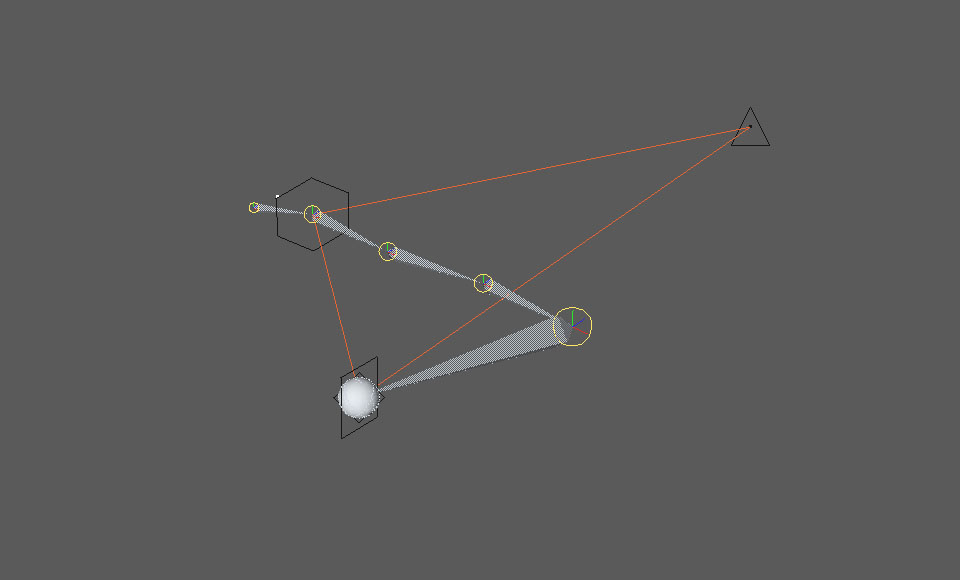
Inside the solver I added some controls that let me determine not only how much the chain should bend towards the goal, but also how much the the end of the chain should extend to the goal. It's a little bit difficult to explain, so I'll try show them instead with the comparison images below.
The first comparison below shows the IK chain solving towards the target goal at 100%, and 50% of the way there:
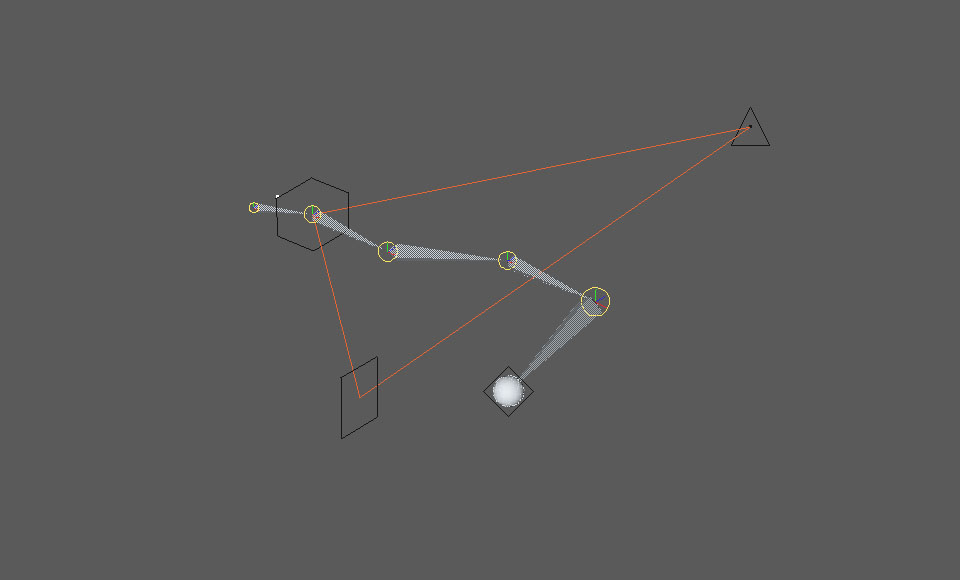
This ones a little more tricky to understand, but it shows the solver at 100%, and what I call an extension percent - which just means how much you move the chain end towards the length of the goal but still keeping everything else solving. May not make sense, but anyway. The left side image is 100% goal, while the second image is set at 25% extension reach. I know, it's a bit awkward in words, but, it works the way I expect, so...!
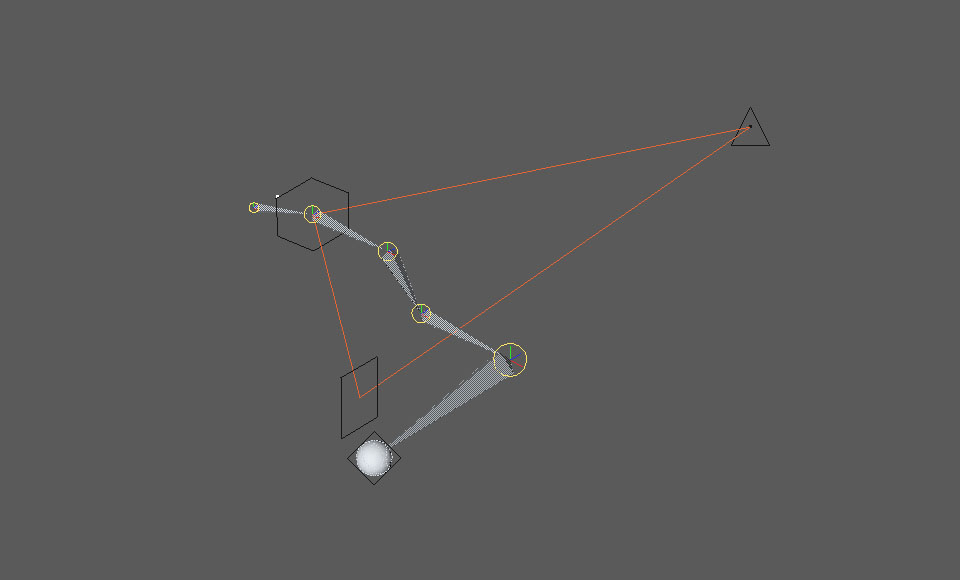
I can use both the goal reach and extension adjustments in conjunction with each other. So, they'll be useful for finetuning how I want the chains to reach the intended goal. A really useful set of controls for an animator.
Now, the issues. The first is that the code doesn't do anything to rotate the joints. It's purely positional at the moment. But the solver needs to be rotational as well. I haven't attempted to resolve this yet, but it is on my list.
Second issue - the IK bend doesn't adhere to the pole position yet. In the images above, it just so happens that the solve tends to bend back towards the pole, probably just because by default that's the direction the math does things in. But moving the pole doesn't necessarily move the bend the right way. I'm working on this at present.
And thirdly; I'm trying to build a flexible system where only the objects I select are influenced by the IK solver itself. For example, an arm may have three main joints. The arm joint (starting at the shoulder), an elbow, and a hand. We want to move the hand, and have the elbow and shoulder move and rotate to complete the solve. However, the arm rig itself may have more joins in it's chain. For example, in between the elbow and the hand you might also have a forearm roll joint. I won't explain what their purpose is here, suffice to say I need to take these into account. And so far, my system doesn't do that. These roll joints become oddly placed, which you can see in the screen shot below.
Other than the mentioned issues to overcome, the solver is partially working, which you can see in the screen captures above and below.
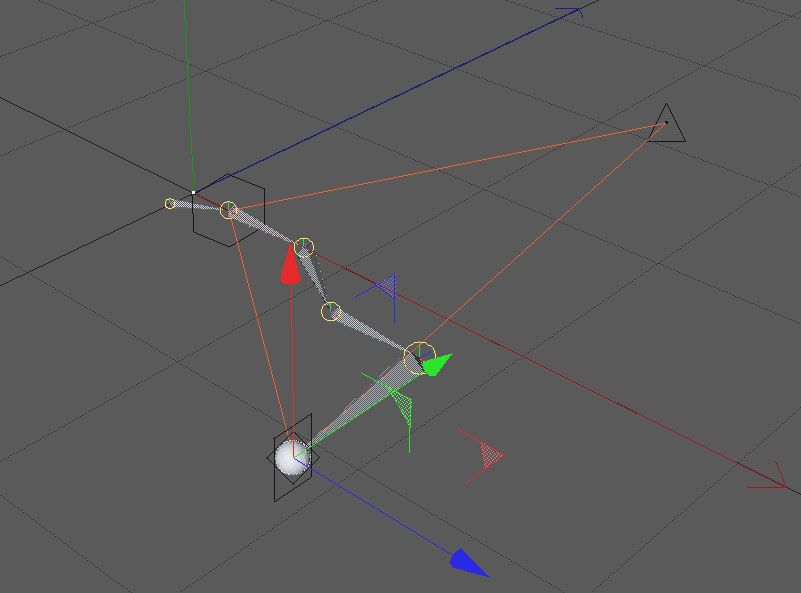
So, I need to find a way to solve the issues mentioned above. One of the crucial ones will be to solve the IK without meddling with other joints in the chain. I'm sure this can be done, I just have to figure out how.
And funnily enough, while typing this post, I may have thought of a possible solution!
In addition to figuring out an early IK solver, I continue to add helpful user functionality to the tool as well. Sometimes you just find you need a button that does something. You may already have the functionality in code, you just need a way to connect it up for the user - like giving them a button to press! These aren't big additions, more like convenience things for the user experience. But they're important to workflow, so if they help, they should be there.
I also tidied up the tool's system structure, allowing users to add more systems, delete them, colour code and rename them inside the user interface.
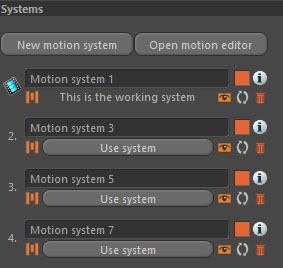
The addition of a simple systems interface means I can also quickly switch between systems if I need to, allowing the user to make an animation, then make another version in the same scene. The idea being you can create two (or more) versions of your animation, and pick the one you want to use at render time. The tool itself has actually had this functionality for a long time, I've just never made an interface for the user to access it before.
I also restructured some of the execution code, which now enables me to reuse the same code to do other things. For example, I want to be able to draw ghost skeletons into the viewport so the animator can see the skeleton a few frames ahead (and/or before) the current scene time. Just thought it might be useful to visualise where the skeleton is at different points in time etc.
I thought I may be able to post a somewhat simple finished IK solver here! But alas, it's been a bit trickier than expected; I'm wanting to do particular things with the IK solver, and there are still some things still to figure out...
We will need a Part III...!