
In keeping up my appearances to get some productions up and going, I've been working on adding some small additional tools to the kit to help with the pipeline.
As well as the recent export and importing tools I've covered previously, I've now added a small tool to 'up version' a file when saving. It's a single button click solution that sits in the Cinema4D interface, and with one click it will save the current scene to a new version. In the field they call this 'up-versioning'. That is, take the current version, say version two, and save it as version three. Fairly simple, but an important step when developing projects.
One of the challenges in this field is keeping track of which version you're working on. Being able to save an 'up version' means you can retain previous versions of the file so that in the event you need to go back some steps, or dig out some older versions, you have just that - many versions to choose from.
It's not uncommon for their to be several tens of versions. I know in the film industry some file versions just for compositing have run into the hundreds. It's really important to keep track of these somehow, so that if you (or a client) asks to revert back to another previous version, you can do just that.
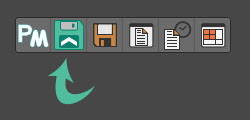
And, it really is just a one-click solution. Here's a screenshot of the button in the interface:
I've also been 3D printing some stuff for some of my motion capture gear. Just little things like legs and feet to stand some items up. I'll post more on these another time.