
Yep, I know, I'm making a few posts about my Set Builder tool at the moment. But they're worth it, I'm figuring things out and finding better solutions.
In a previous post I made (here), I complained (to myself mostly!) about the painter dialog I made being slow to use. As I tested things more deeply, I found it actually got excruciatingly slow when you zoomed in to the image to work with. There's definitely something very poorly designed under the hood of the Cinema4D engine. Granted, I am using an out of date version at this point, but still, I'm really surprised they designed some of their elements they way they did. The performance can be really poor.
Here's the issue. If I have an image and I want to display it in the window paint area, the display will work fine if there's not too much scaling business going on with the image. However, my viewer allows the user to zoom in on the image, so they can paint in very specific parts of the image, in small places. Ineed to do this in order to really refine the masked areas you want the matching engine to work on. It's important.
But when I zoom in on the image in the display, it becomes painfully slow. And I do mean painfully slow. At just 300% the draw area becomes barely useable. It's terrible.
So, I thought I'd have a go at changing the way the draw area works, and instead of letting the main software handle the paint area display, I'll draw the frame into another image in memory, and display that image instead. This means I bypass the parent software's poor image scaling. The catch? Well, I have to write my own functions to copy image data across, and to scale the pixel data between images, and offset things as the user moves the image around the display area. So there's a few things to tackle in there.
But my big advantage is that I can multi-thread things, some of which I had already done. And once I'd drawn the display into a new image that was the same size of the window paint area, I then just display that image instead without any scaling, because I've taken care of that side of things in my own multi-threaded draw functions. If all goes to plan, hey presto, the display area should be faster to work with.
And, it is much much faster. I can now scroll in to 1,000% and move the image around the draw area fairly comfortably. Before it was struggling to handle the image at just 300%. So this is quite an improvement.
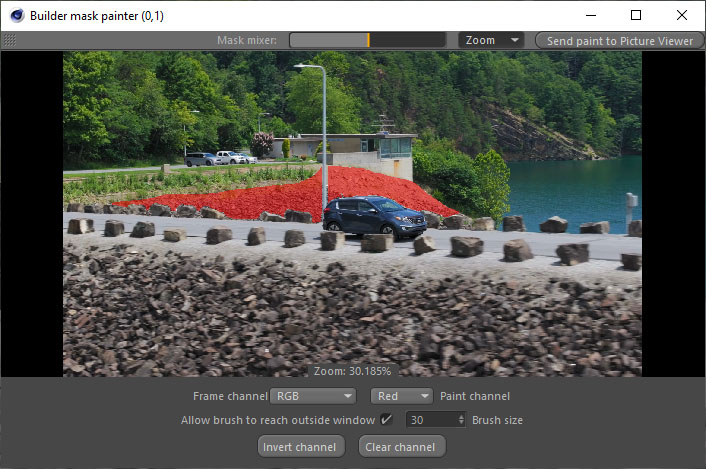
Honestly, I don't know what they're doing under the hood with some of these 'high end' commercial programs. I don't think they're very well thought out in some places. I know that's easy for me to say who is completely disengaged from the inner workings of the main software. But yeesh, when a hack like me can come along and program something faster than a professional piece of software, and quite a lot faster, I have to question how much they really thought things through in the first place.
But, as I say, it's easy to bash from afar.
I found another solution, that's all that really matters. It's a much better user experience now, and gives me some ease knowing that when it comes time to work with larger film camera images, the paint window interface will be in a better place to handle it. Currently I only test with HD resolution images. But my film camera is capable of 6K. This makes the prospect of working with higher resolution images a little daunting, knowing that if it's slow with HD images, it's only going to be worse with my film camera footage. So this solution really helps.
Overall, I built this tool in a way where I didn't quite get the solutions I wanted to use, but I got a set of solutions that I can use. I'm actually at the point where I don't know if I'll keep multi-threading things any further. It just seems to be at a point now where it works. And given the amount of frustration this one caused, it's probably in a place where I shouldn't poke the bear anymore.
Will start turning my attention to the motion capture system soon.