
I made a post recently on building a new tool that is supposed to help me build sets. The original post can be found here. This post isn't quite the one I wanted to make, but it's just how things have progressed. I'm not even sure where to start here, as there's a number of things going on.
How about we start with the good news first. The tool has come to the point where it does work, to some degree. I can find key points in each image (across two or more images), and can match the key points between them. I then run a triangulation algorithm using the known camera track and lens details, to get the global triangulated position. Once this is done, I test how good the result is by re-projecting the global position back into a 2D screen scape, and test the results of the re-projected coordinates using an error margin. If the length of the re-projected points is larger than the error margin, I just discard the result. The two images below show the result of this process, with the green 'X' showing the original found key point coordinates in each image, and a blue '+' point re-projected back into the image using the known camera track and lens info. The two images are shown side-by-side:
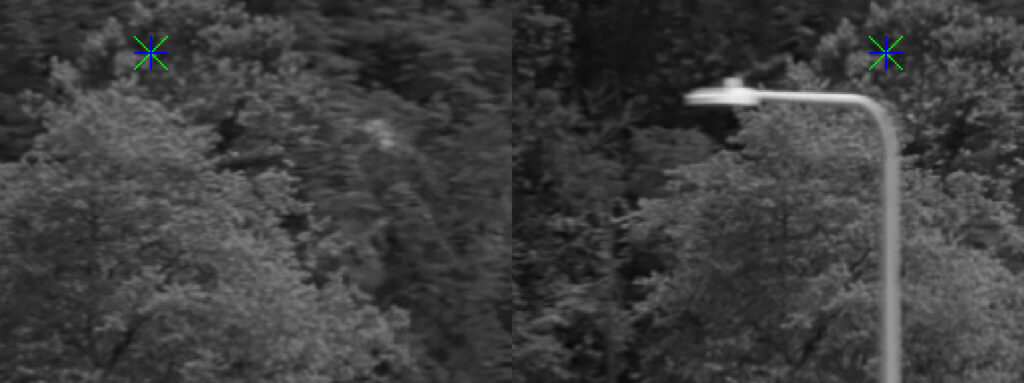
It's hard to see, but the engine has picked up two places in the tree foliage in each image, and said 'these are the same thing'. I then use their found coordinates and re-projected the globally calculated position to test if the result is good or not. I know some of you may not follow what's going on here, as I may not be explaining very well. It's basically a projection and re-projection testing against known coordinates. Suffice to say, just know that the blue '+' over the top of the green 'X' in each of the images above is about as good as it gets. So far, this seems pretty good.
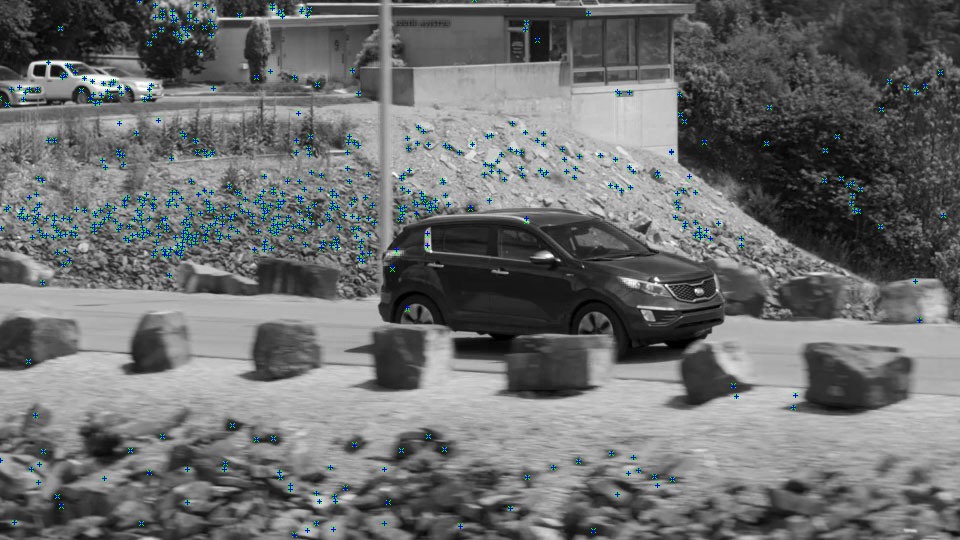
The post hero image shows some more results. They can be hard to see, but they are there. Here's the same image:
And now, here's where things get a little dodgy. In a previous post I talked about making a new meshing tool. In short, this tool takes a bunch of points and makes a polygon mesh out of them. It's not perfect, but it worked. So how does this fit in here? Well, once I've got a bunch of known global points that have passed all the tests, I run them through the same meshing engine as in the other tool to make a polygon mesh out of it. That's the idea, anyway.
Unfortunately however, things aren't really working properly. I've got something causing a crash in the software. I've noticed this before, and I suspect it's the same reason why I can't make the masking window work properly, which also suffers from a program crash when I try to draw a mask on one of the image frames. I can't for the life of me figure out what the issue is. It keeps telling me it's an access violation, which is a well-known problem in programming. But it's not telling me where the problem is happening. And when it does, it points to an object I know is good. Because it's literally made a few lines before the code crashes, and after it's passed null-pointer checks etc.
So, I don't know what's happening here. I need to figure out what's causing it because it may be the same problem across all the crashes.